Simple RIAA EQ filter using SynthEdit
Download / install:
SynthEdit from http://www.synthedit.com/
David Haupt's DH_BiquadFilter SE -module (for RIAA filter) from http://www.dehaupt.com/SynthEdit/DH_BasicModulePak.htm
Christian W. Buddes Butterworth or Chebyshev LP/HPFilter module (for Subsonic filter) from http://www.savioursofsoul.de/Christian/?page_id=442
- extract these SE -modules to a specific folder under SynthEdit installation folder (i.e. \Program Files\SynthEdit\modules\<name>)
- if you have SE running already, it's needed to restart to get the new modules recognized.
SynthEdit project files from http://jiiteepee.fortunecity.com/RIAA_SE/riaa_se.zip
- extract SynthEdit project files somewhere you find them easily (\Program Files\SynthEdit)
You may also need to make a folder named as ”vstplugins” under \Program Files\SynthEdit\.
Save SE project as a VST plug-in:
It's needed to create separate plug-in for each samplerate (44.1/48/88.2 and 96kHz) so, I have made four separate projects because of that (to make it simle).
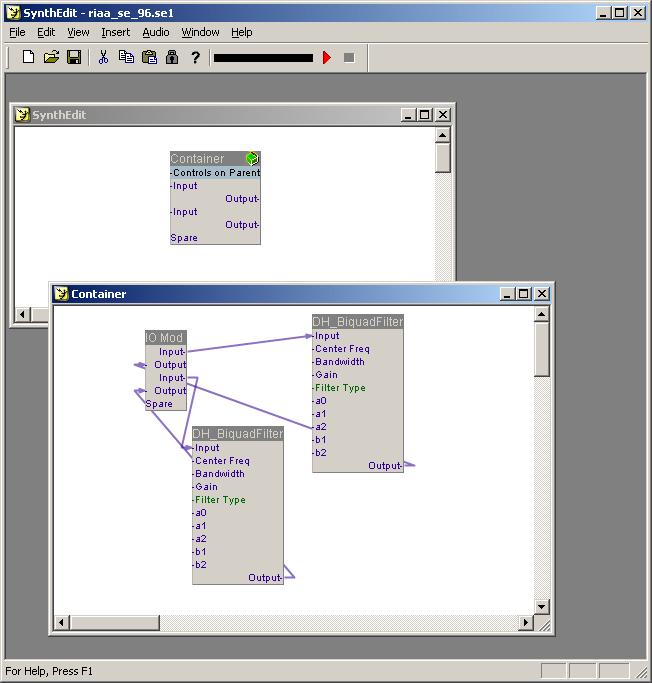
Start SynthEdit and load the project file (riaa_se_xxx.se1) you want to save as VST plug-in.
Something like this should appear:
From File -menu, select Save as VST...
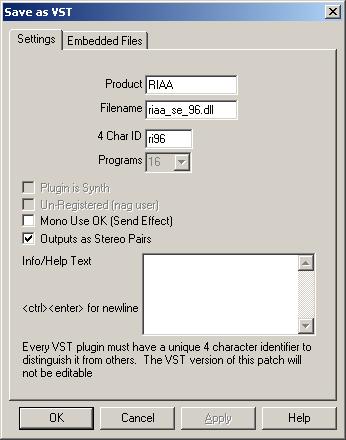
Name the .dll file and give an unique ID for each plug-in you create.
NOTES:
It's possible to change filter gain by modifying filter coefficients a0, a1 and a2 by either multiplying (increase gain) or dividing (decrease gain) them using same multiplier/divider.
- select the DH_BiquadFilter, mouse_right_click and then select Properties
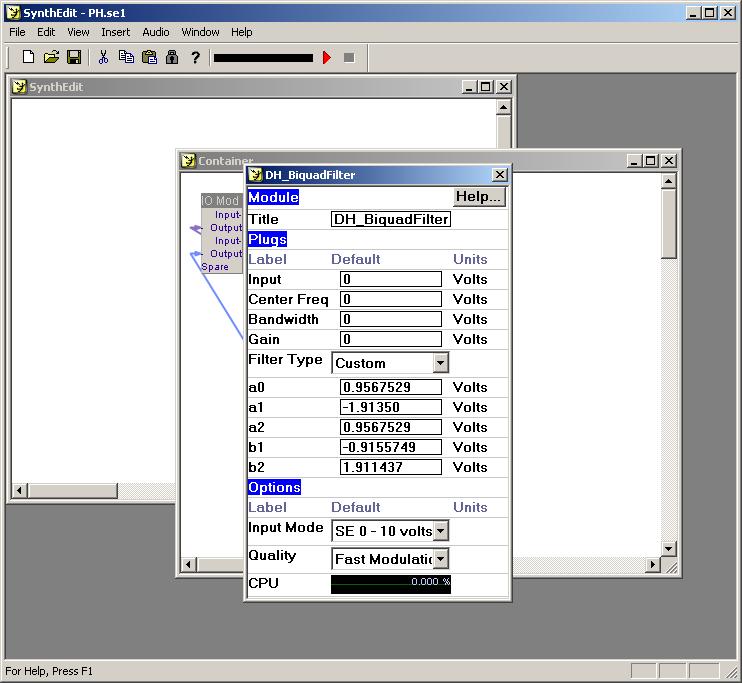
- enter new coefficients (be careful w/ values, separator (dot) and signs (+/-))
- it's needed to modify both filters (Right/Left channels, both uses equal coefficients)
- do not change coefficients b1 and b2 !!